









Imagine a tool that helps students keep track of their studies, teachers share updates, and parents stay informed, all in one place. That’s what a student portal does. In today’s world, schools are becoming smarter with technology, and an Education ERP (Enterprise Resource Planning) system is like a smart tool that brings everything together.
What is a Student Portal?
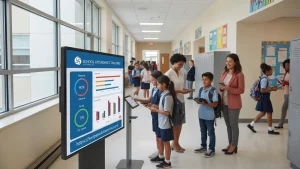
A student portal is like an online doorway where students can find all the information, they need for school. It includes things like homework, class schedules, grades, and even messages from teachers. Think of it as a one-stop shop for everything related to school.
But the student portal isn’t just for students. Parents can use it to check on their child’s progress, and teachers can post important updates. It’s a place where everyone can stay connected and up to date without any hassle.
Why is a Student Portal Important?
In the past, students had to carry papers and notebooks to keep track of their homework and grades. If they missed something, it was easy to fall behind. The student portals changes all that by keeping everything in one place and making it easy to find.
1. Quick Access to Information: Students and parents can instantly see grades, assignments, and class schedules.
2. Communication Made Simple: Messages from teachers or school administrators can be delivered directly through the portal.
3. Less Paperwork: With information stored digitally, there’s no need for endless piles of paper.
4. 24/7 Availability: Whether at school or home, the portal is always open for access.
How Education ERP Enhances Student Portals
A student portal works even better when it is part of an Education ERP system. An Education ERP is a software that schools use to manage their activities like admissions, exams, and fee payments. It’s like the brain of a smart school that helps everyone stay organized.
By using an Education ERP, student portals can have more advanced features, making life even easier. Here’s how:
- Automation of Tasks: The ERP can automatically update information like grades and attendance records.
- Easy Fee Payments: Parents can pay fees online directly through the portal without having to visit the school.
- Digital Attendance Records: Attendance can be marked directly in the system, and students or parents can check it anytime.
Key Features of an Effective Student Portal
1. Dashboard: A simple dashboard where students can see their grades, upcoming assignments, and important announcements.
2. Class Schedules: It should show the daily or weekly timetable so that students can plan their study time better.
3. Grade Book: Students and parents should be able to check grades as soon as they are posted.
4. Communication Tools: Messaging options should be available for easy communication between students, teachers, and parents.
5. Resource Library: A place where students can download study materials, past papers, or e-books.
6. Fee Payment Gateway: An option to pay fees online for convenience.
The Benefits of Using a Student Portal
Using a student portal as part of an Education ERP offers many advantages. Let’s look at some of the main benefits:
1. Saves Time: Both students and parents save time because they don’t need to visit the school to get information.
2. Improves Communication: Updates are shared instantly, which keeps everyone in the loop.
3. Helps with Planning: Students can plan their studies better by knowing what tasks are due and when.
4. Keeps Parents Involved: Parents can monitor their child’s progress without having to wait for report cards.
5. Reduces Stress: Since everything is well-organized and available online, there is less chance of missing out on important information.
The student portal is more than just an online tool; it’s a vital part of a smart education system. When combined with an Education ERP, it makes school life simpler and more efficient for students, parents, and teachers alike. With everything in one place, the portal ensures that important information is just a click away, helping students stay on track and succeed in their studies.
FAQs
1. What is the purpose of a student portal?
A student portal is designed to provide students, teachers, and parents with easy access to important school information such as grades, assignments, and communication updates.
2. How does a student portal help in communication?
The portal allows direct communication between students, teachers, and parents through built-in messaging features, keeping everyone informed and connected.
3. Can parents use the student portal?
Yes, parents can use the portal to check their child’s grades, attendance, assignments, and even make fee payments online.
4. What features should a good student portal have?
A good student portal should include a dashboard, class schedules, grade book, communication tools, resource library, and fee payment gateway.
5. How does Education ERP improve the functionality of a student portal?
Education ERP enhances the student portal by automating tasks such as updating grades, tracking attendance, and facilitating fee payments, making it more efficient and user-friendly.
Want to help students succeed? Discover how eGenius ERP can make your student portal more effective and user-friendly!